Ardupilot Releases TCP/IP over Ethernet
3 min read

Author

Integration & Ecosystem
The long-awaited addition of TCP/IP over Ethernet for ArduPilot has now been released. This represents a step improvement in the ArduPilot project and allows the integration of more complex sensors, actuators and processors to ArduPilot driven platforms. Essentially it means you can finally achieve scalable network architectures with ArduPilot.
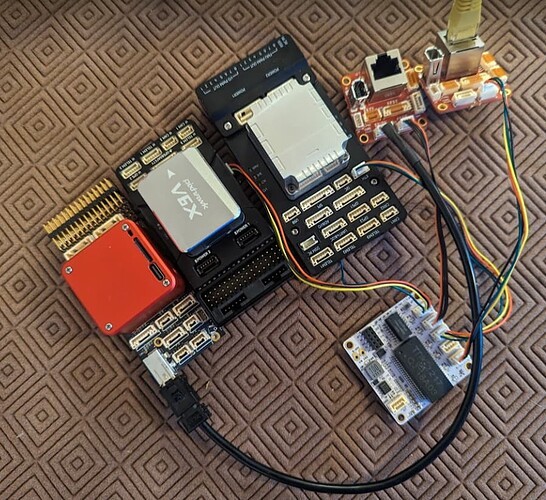
At BotBlox, we’ve been collaborating with Andrew Tridgell on the ArduPilot project since May 2023 to release an affordable, easy to use ArduPilot compatible Ethernet switch. This complements ArduPilot’s new Ethernet ability and allows users to build Ethernet based drones and robots without extra hassle or work.
By leveraging our SwitchBlox design, a well-tested and mature product, we created the SwitchBlox for ArduPilot variant, which reuses a lot of the same circuitry but replaces the connectors with ArduPilot compatible JST connectors.
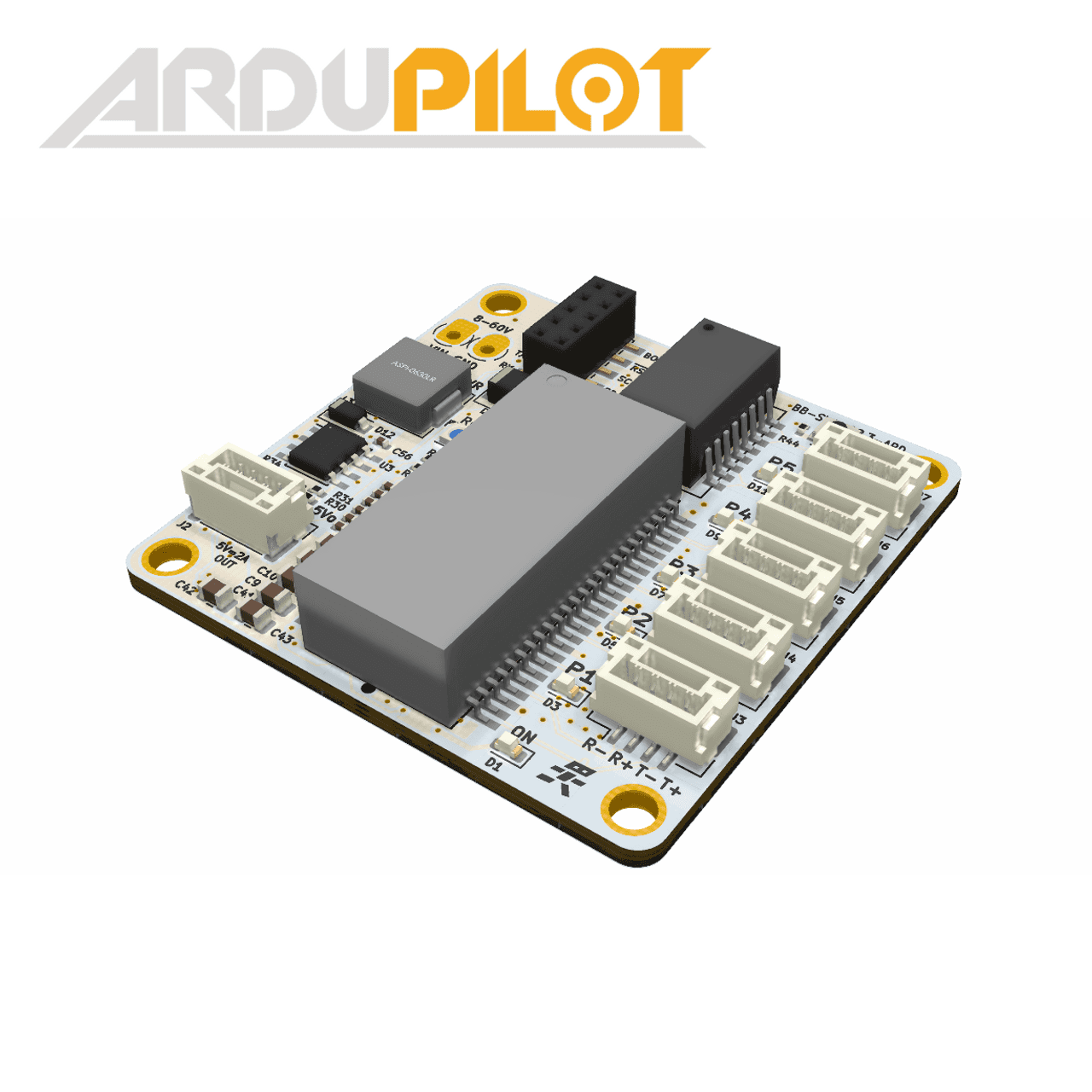
Currently, not all ArduPilot compatible hardware uses the JST connector however, and there exists quite a bit of controversy around which connector to use for Ethernet in ArduPilot. To try and bridge this gap, we have also created the SwitchBlox for ArduPilot Cable Adapter.
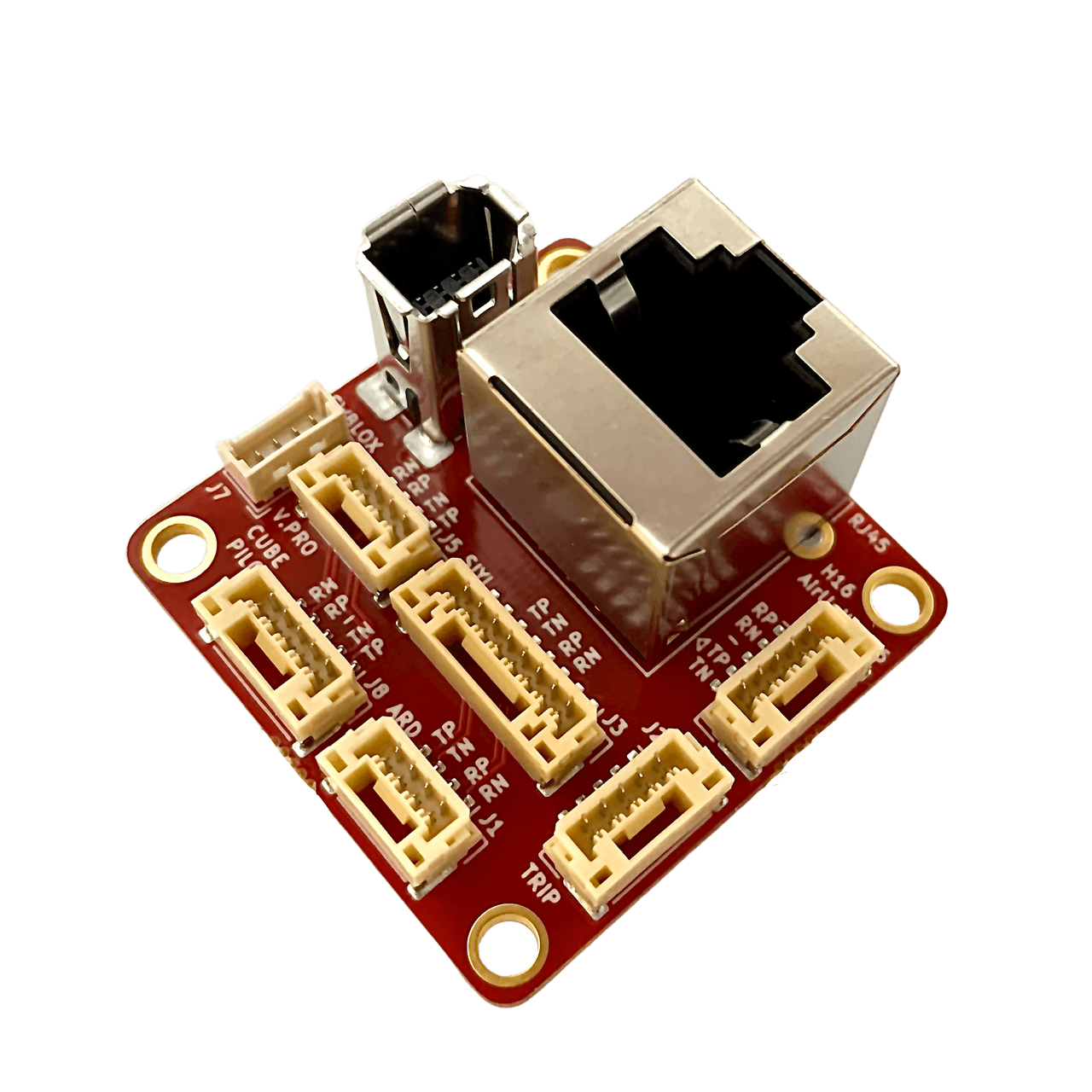
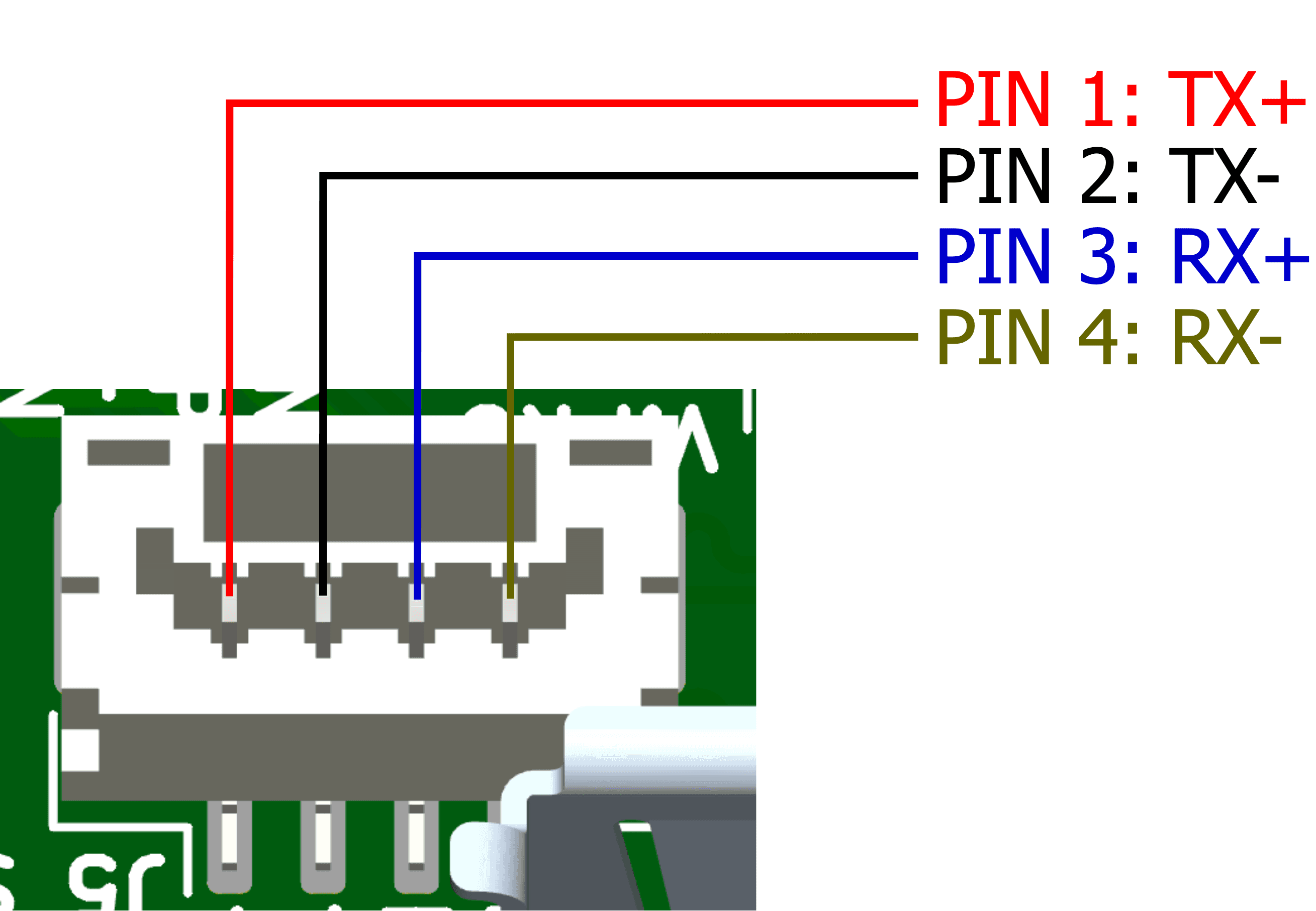
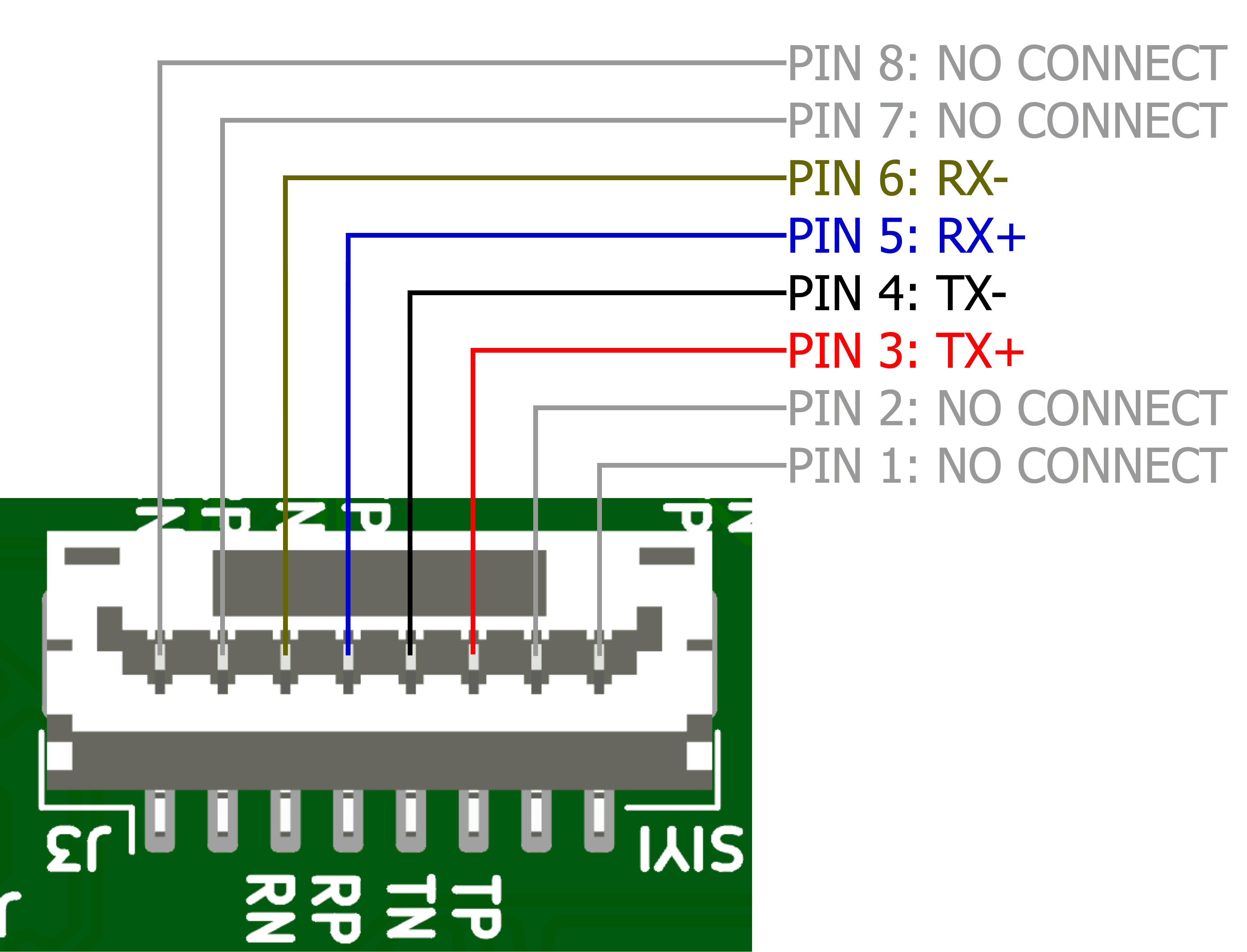
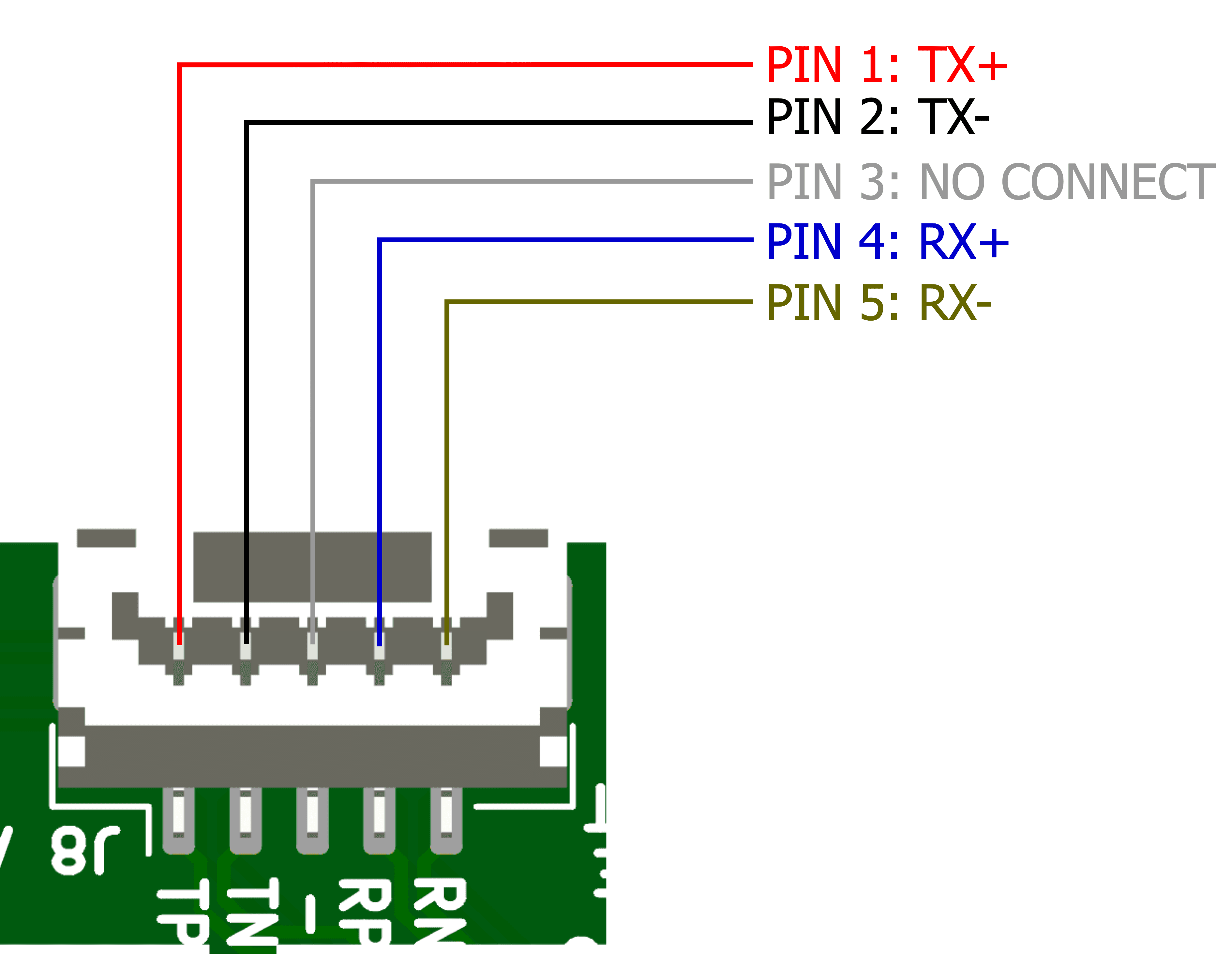
This adapter houses all the connectors and pinouts found on the existing ArduPilot platforms, vastly simplifying hardware connectivity and meaning users don’t need to construct custom cables by hand. This adapter is compatible and tested with the following ArduPilot platforms.
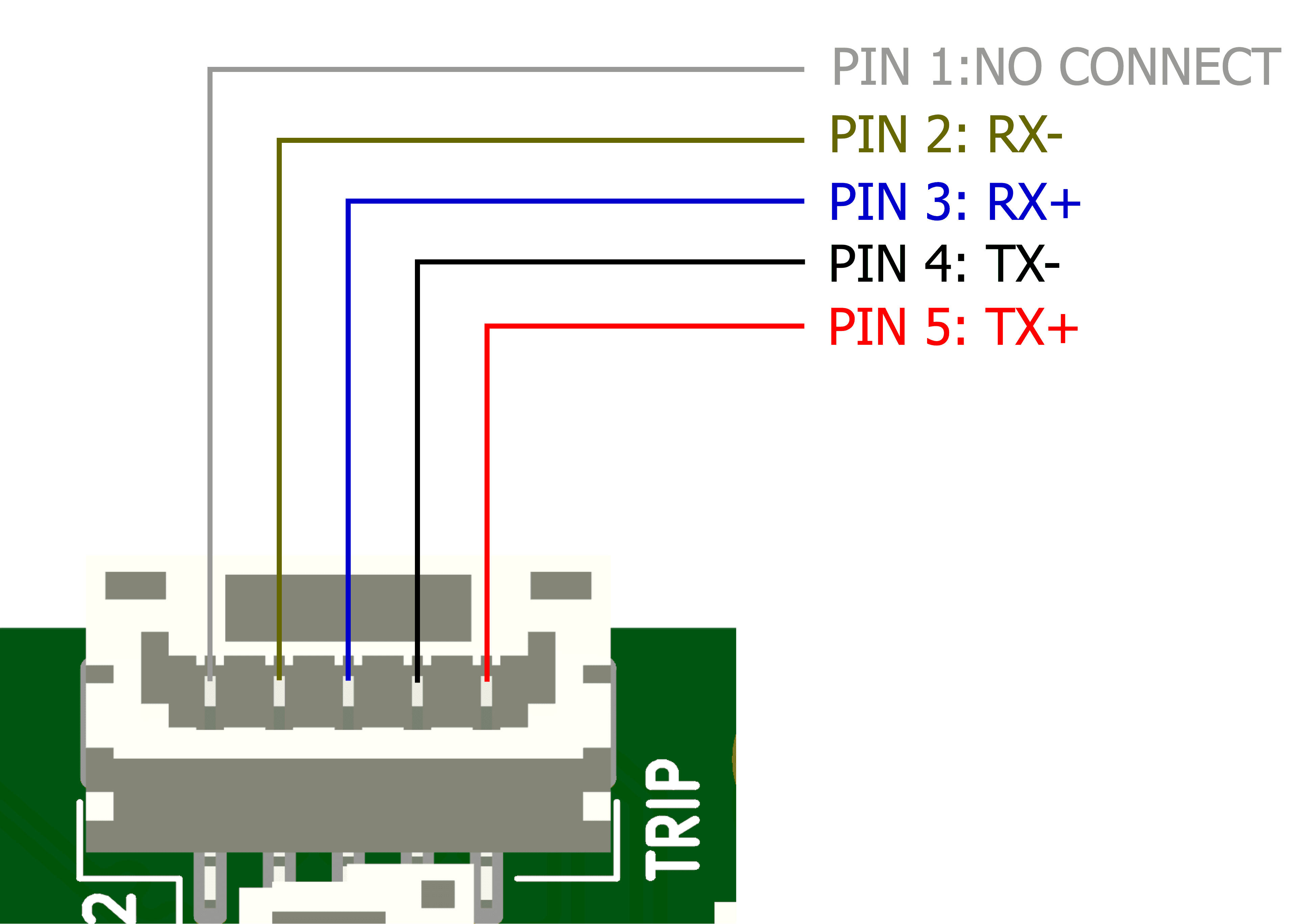
NextVision Trip 2, Trip 5 and Trip 6: Uses JST-GH 1.25mm 5 pin (Pinout 1)
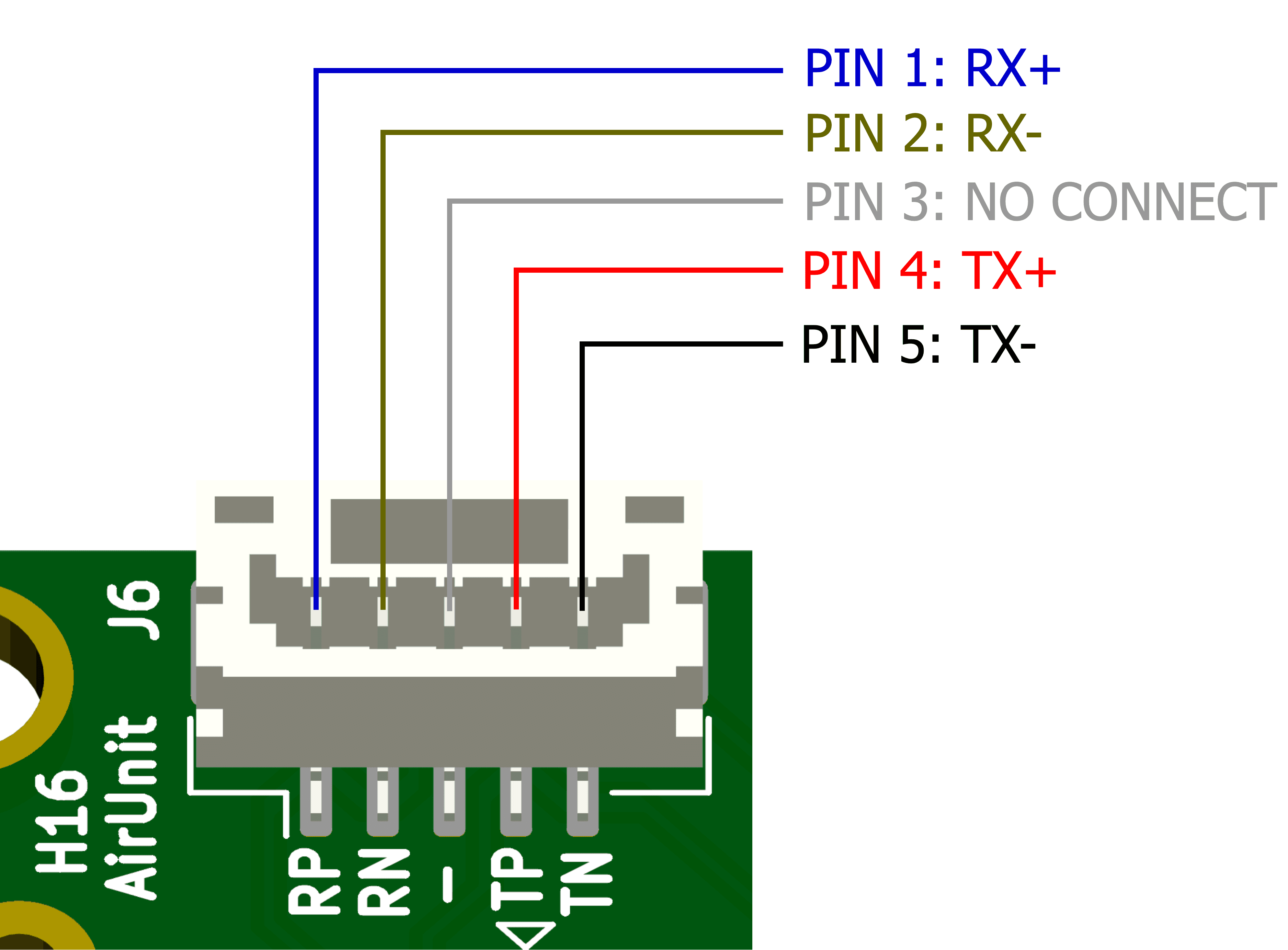
Skydroid H16 AirUnit Radio: Uses JST-GH 1.25mm 5 pin (Pinout 2)
Pixhawk6X and 5X: Uses JST-GH 1.25mm 4 pin (with the same pinout as SwitchBlox ArduPilot)
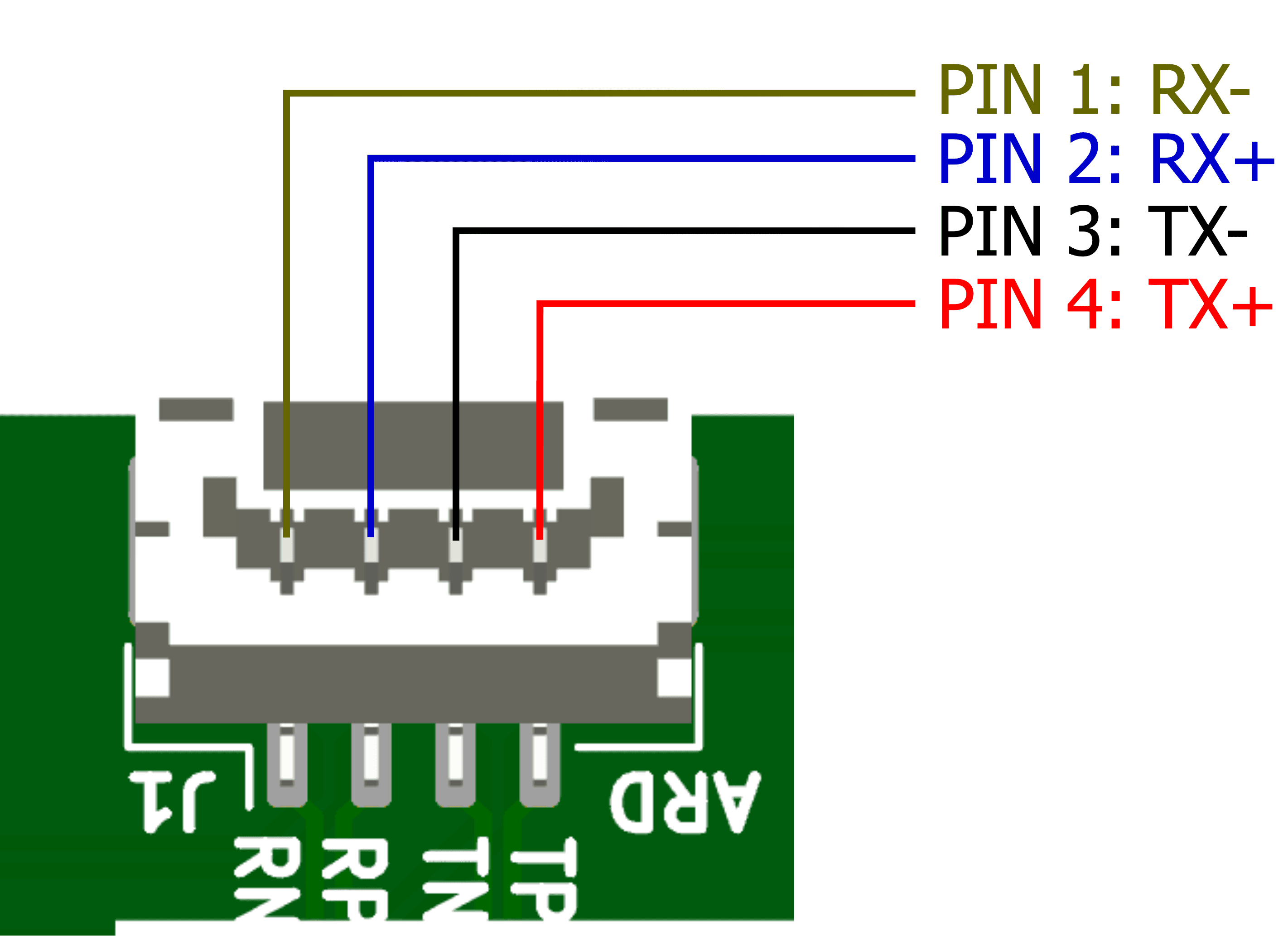
ViewPro: Uses JST-GH 1.25mm 4pin
Siyi Cameras: Uses JST-GH 1.25mm 8 pin
CubePilot: JST-GH 1.25mm 5 pin (Pinout 3)
CubeRed Carrier Board: Uses Industrial Mini I/O - D1
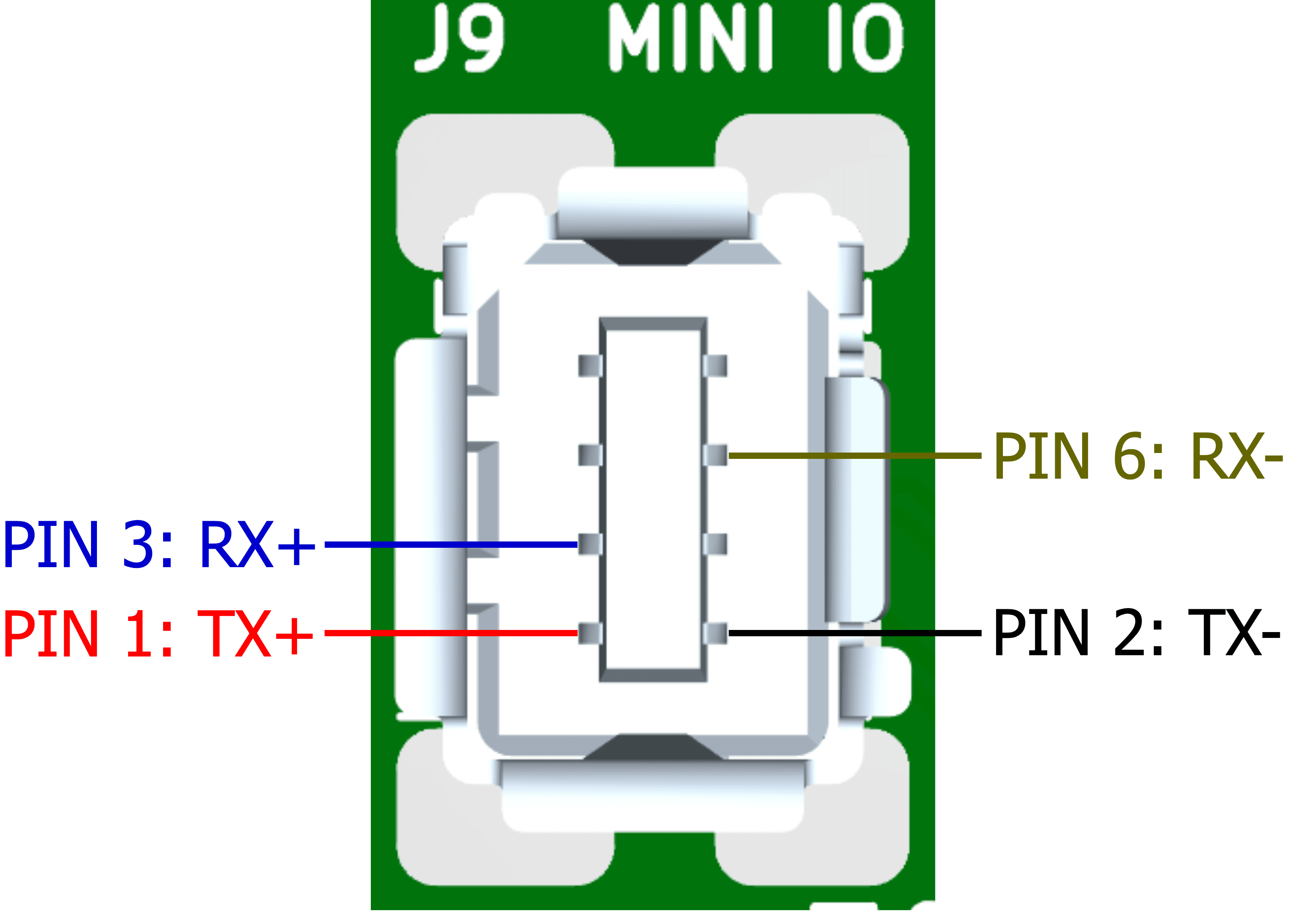
Any other generic hardware can use either the Molex PicoBlade (compatible with BotBlox hardware) or the RJ-45 socket.
SwitchBlox for ArduPilot and the cable adapter now allows users to easily build Ethernet enabled ArduPilot systems without extra work. We are excited about this development and will be actively working on improving our Ethernet switch platforms to bring more sophisticated management and network routing abilities in the future.
For the latest updates, please see this thread on the ArduPilot forum.


